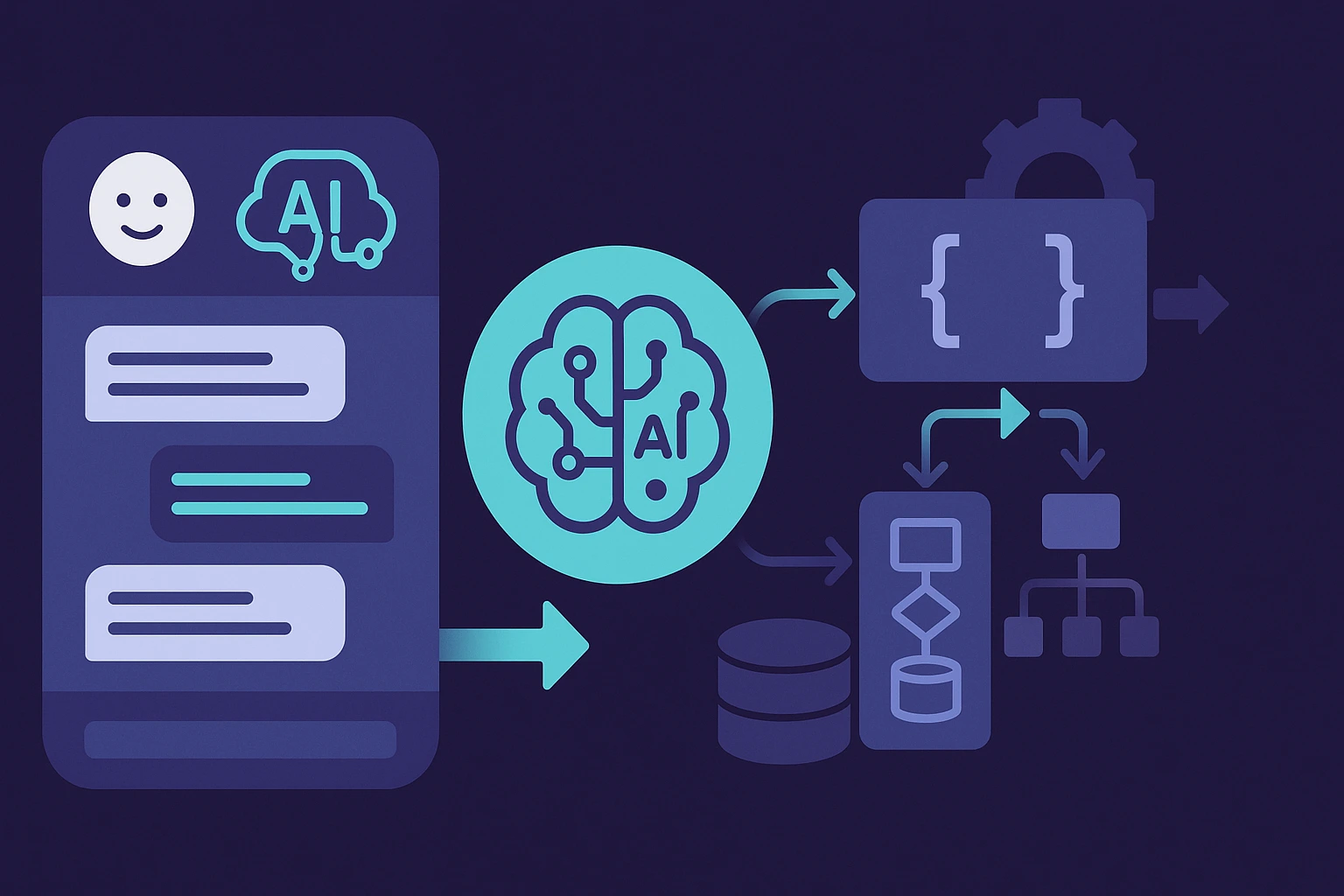
OpenAI Agent Builder is a new visual tool for creating, testing, and publishing AI agents, launched as part of the AgentKit suite in October 2025. It allows developers to build and deploy multi-step (multi-agent) workflows without writing code — connecting APIs, files, external services, and built-in safety mechanisms.
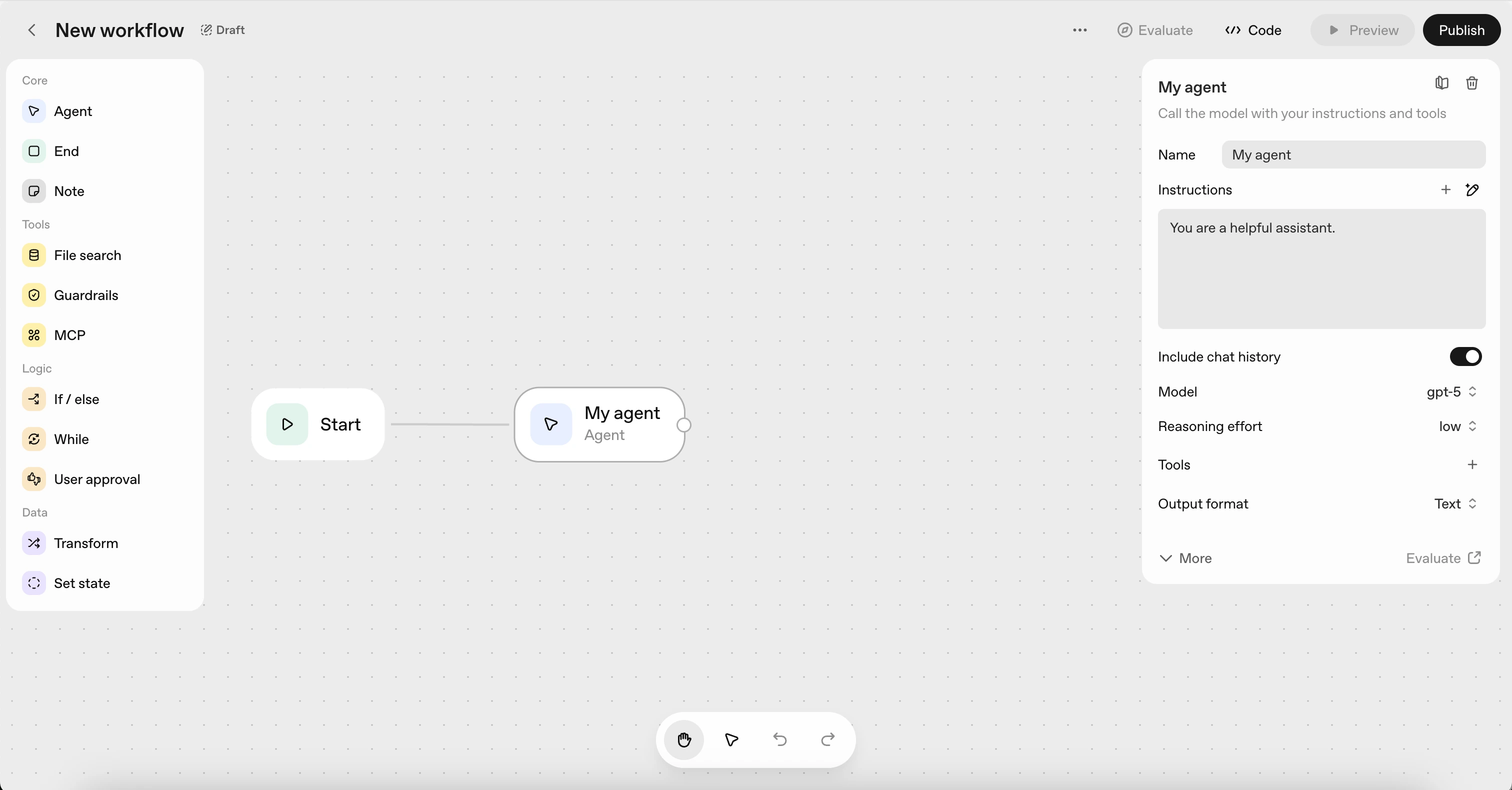
Previously, developing an agent required complex orchestration, dozens of scripts, and weeks of frontend work. Now the entire process — from idea to production — happens on a single visual canvas: connect the nodes, define prompts, run a test, and click Publish.
OpenAI Agent Builder has become the core of OpenAI’s new ecosystem, which also includes ChatKit for embedding chat interfaces, Connector Registry for managing data access, and Evals for testing and improving agent performance. Altogether, this transforms OpenAI from a conversational platform into a full-fledged infrastructure for building AI-powered applications that can be deployed in products, websites, or enterprise systems.
What is OpenAI Agent Builder
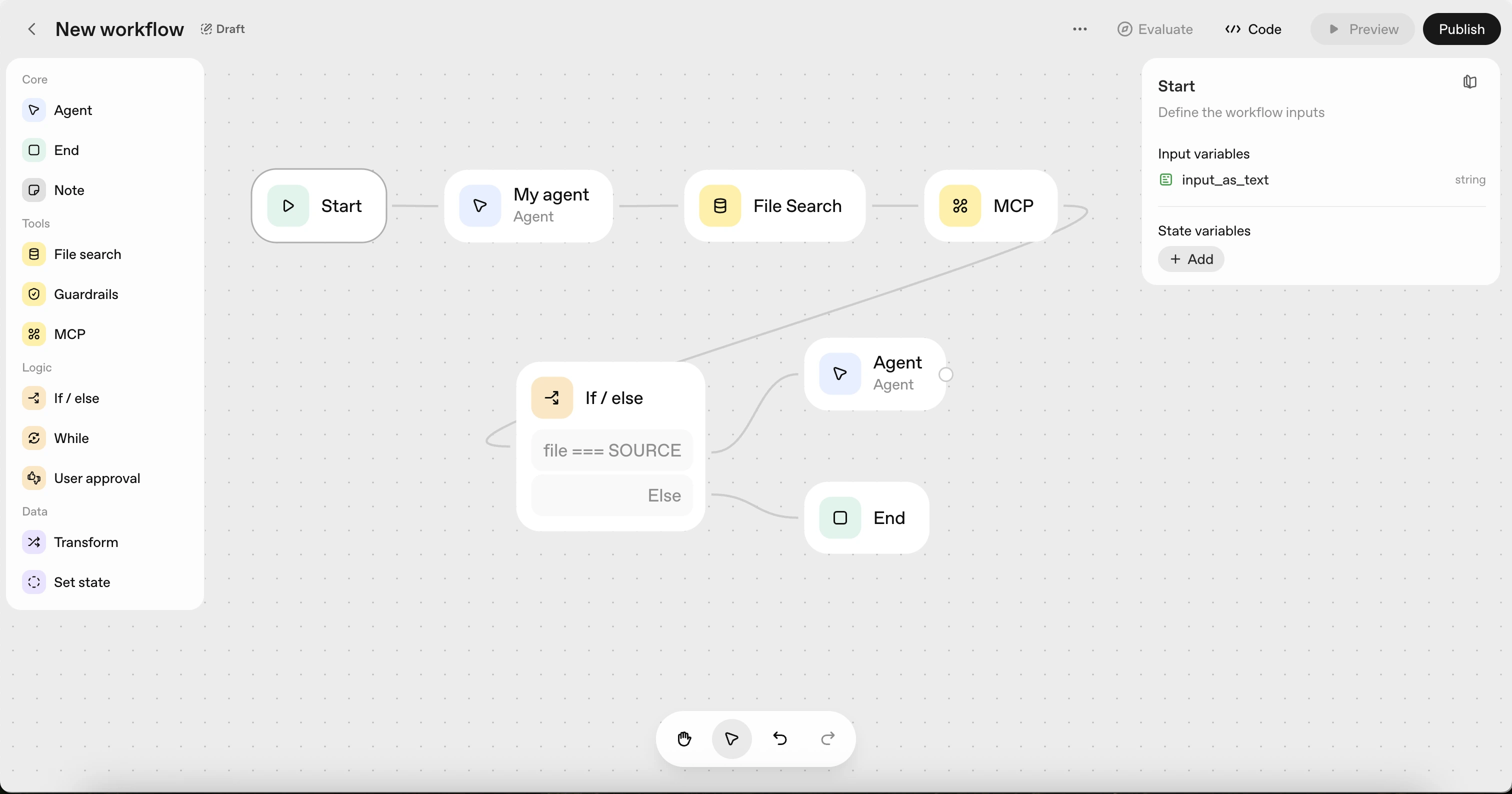
OpenAI Agent Builder is a visual builder that lets you create and launch AI agents without writing a single line of code. Everything works intuitively: you drag and connect nodes, set up logic, and within minutes you have a complete working workflow.
An agent can be a simple chat assistant or part of a complex multi-agent system — connecting to APIs, processing files, searching for data, or interacting with internal company services.
Everything is built from nodes:
- Agent Node – defines the agent’s behavior and prompts, shaping its “personality” and goals.
- Guardrails – ensures security, filters sensitive information, and prevents jailbreak prompts.
- File Search – allows the agent to work with documents and its own knowledge base (RAG-style).
- MCP (Model Context Protocol) – connects the agent to external systems like Stripe, Gmail, Slack, Zapier, or any custom APIs.
All of this happens right on the canvas — you drag blocks, set conditions and loops, connect tools, and instantly see the result in the preview. In short, it’s like n8n or Make — but for “intelligent” AI agents: not just automation, but logic that understands context and can hold a conversation.
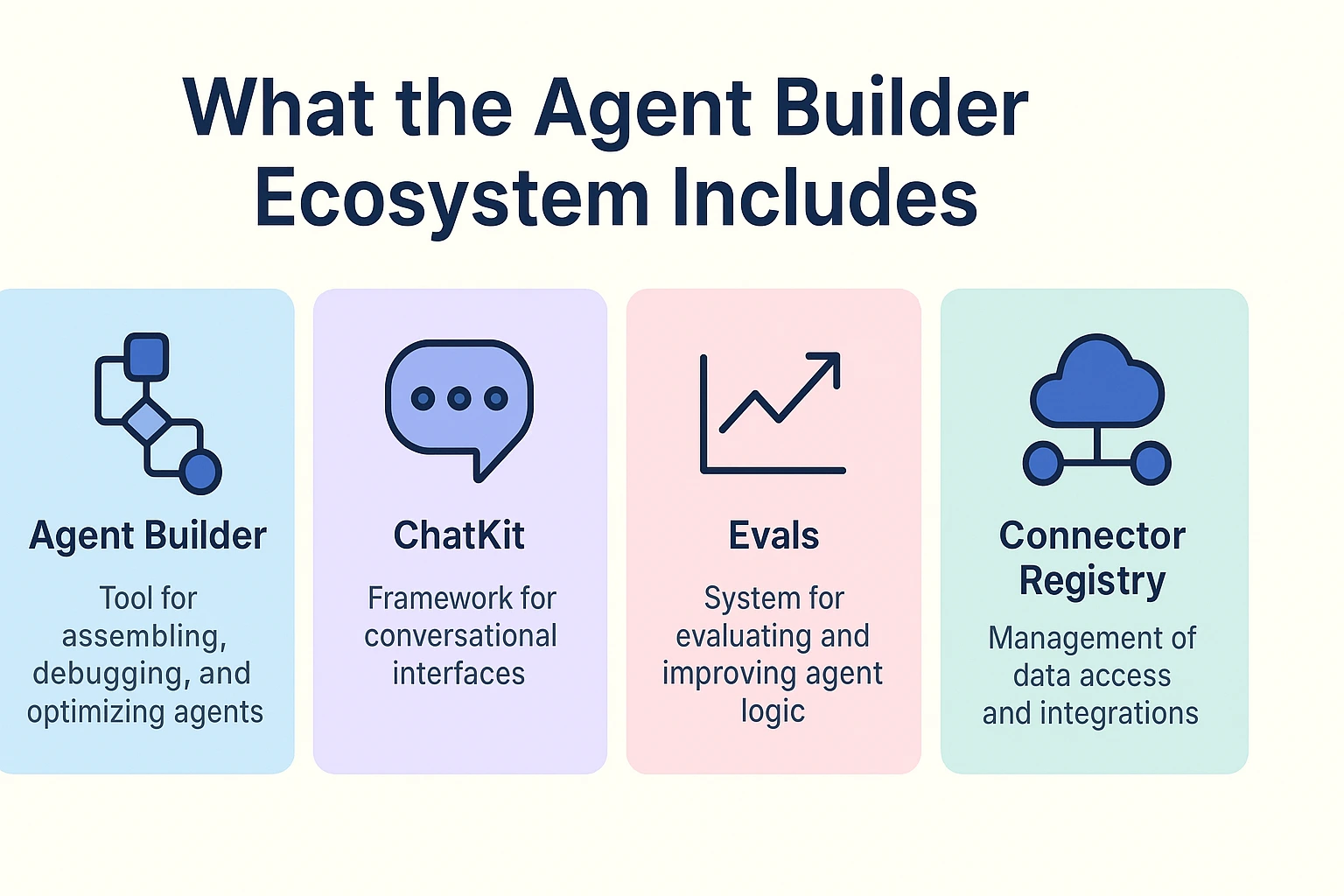
What the Agent Builder Ecosystem Includes
Agent Builder is the core of a broader ecosystem called AgentKit — a complete toolkit for building, testing, and deploying AI agents into real-world products.
- AgentKit brings together everything that previously had to be handled manually — orchestration, API integrations, versioning, and quality control — into one visual environment for assembling, debugging, and optimizing agents.
- ChatKit is a framework for embedding conversational interfaces into websites and apps. It supports streaming responses, model “thinking” visualization, and interactive elements like buttons, tables, cards, and forms. ChatKit makes an agent not just text-based, but visually clear and user-friendly.
- Evals is a system for evaluating and improving agent logic. It helps analyze workflow performance across real sessions, automate testing, optimize prompts, and identify weak points in the model’s reasoning.
- Connector Registry serves as a control panel for managing data access and integrations. Admins can centrally configure connections to corporate sources like Google Drive, SharePoint, Dropbox, and Microsoft Teams, as well as manage custom MCP connectors.
Together, these components turn Agent Builder into a full-fledged platform — not just a builder, but a complete infrastructure for creating, testing, and scaling agent-based applications within the OpenAI ecosystem.
How Agent Builder Differs from Zapier, n8n, and Make
Platforms like Zapier, n8n, and Make are designed for automation — they execute predefined actions based on simple “if → then” logic. These are linear workflows where every step is explicitly defined, leaving no room for reasoning or adaptability.
Agent Builder works differently. It creates agents that can analyze context, search for data, make decisions, and interact with users through conversation. Such an agent doesn’t just follow commands — it understands the goal and determines the best way to achieve it.
Example:
- n8n/Zapier: if a new lead arrives → add it to the CRM.
- Agent Builder: the agent analyzes the lead’s message, determines its relevance, and then decides whether to add the contact to the CRM or forward it to a manager.
The key difference is reasoning and contextual understanding. An Agent Builder workflow can combine tools, perform searches, process files and APIs, hold a conversation, and adapt dynamically to the situation.
At the same time, Agent Builder doesn’t replace traditional automation tools — it complements them. Through MCP or Webhooks, agents can connect to n8n or Zapier and use them as “execution layers,” while the reasoning and decision-making logic stays within OpenAI.
Examples of How OpenAI Agent Builder Is Used
Agent Builder is already being adopted by companies and independent developers to create agents that solve real-world tasks — from customer support to intelligent assistants and analytical systems.
💬 Customer Support Agent — an agent integrated with a CRM via MCP. It responds to customer requests, checks order statuses, updates data in HubSpot or Zendesk, and can escalate issues to a human manager. Solutions like this are already live at Canva and HubSpot, significantly reducing support workload.
📚 Research Agent — an agent for analyzing information and preparing concise reports. It searches for sources, extracts key facts, and presents them in structured formats such as tables or cards. Ideal for marketing, product, and SEO teams.
🎬 Content Assistant — an agent that works with YouTube transcripts or internal video archives. It finds topic-specific answers, summarizes videos, and generates concise takeaways — useful for educational platforms and media teams.
🌦 Data Fetch Agent — an agent that connects to external APIs (for example, Open-Meteo or CoinGecko), retrieves up-to-date information, and displays it through ChatKit. Commonly used in analytics dashboards and news aggregators.
⚙️ API Orchestrator Agent — an advanced example of an autonomous agent that can find suitable APIs on its own, call them via MCP, and build dynamic logic chains. It can fetch currency exchange rates, stock prices, or collect real-time product reviews.
| 🧩 Agent Type | 🧠 Main Task | 🔗 Integrations / Tools | 💼 Use Cases |
| Customer Support Agent | Handling customer requests and updating CRM records | MCP, Guardrails, ChatKit | Customer support, e-commerce |
| Research Agent | Data collection, analysis, and report generation | Web Search, File Search, n8n/SerpAPI | SEO, content marketing |
| Content Assistant | Working with transcripts, generating summaries | File Search, Evals, ChatKit | Education, media |
| Data Fetch Agent | Retrieving data from external APIs | MCP, Connector Registry | Analytics, SaaS, finance |
| API Orchestrator Agent | Automatically connecting to and calling APIs | MCP, Guardrails, Custom Tools | DevOps, R&D, integrations |
These examples show that Agent Builder isn’t just a playground for experiments — it’s a production-ready environment for developing real AI agents that can be embedded into products, corporate chat systems, or public web applications.
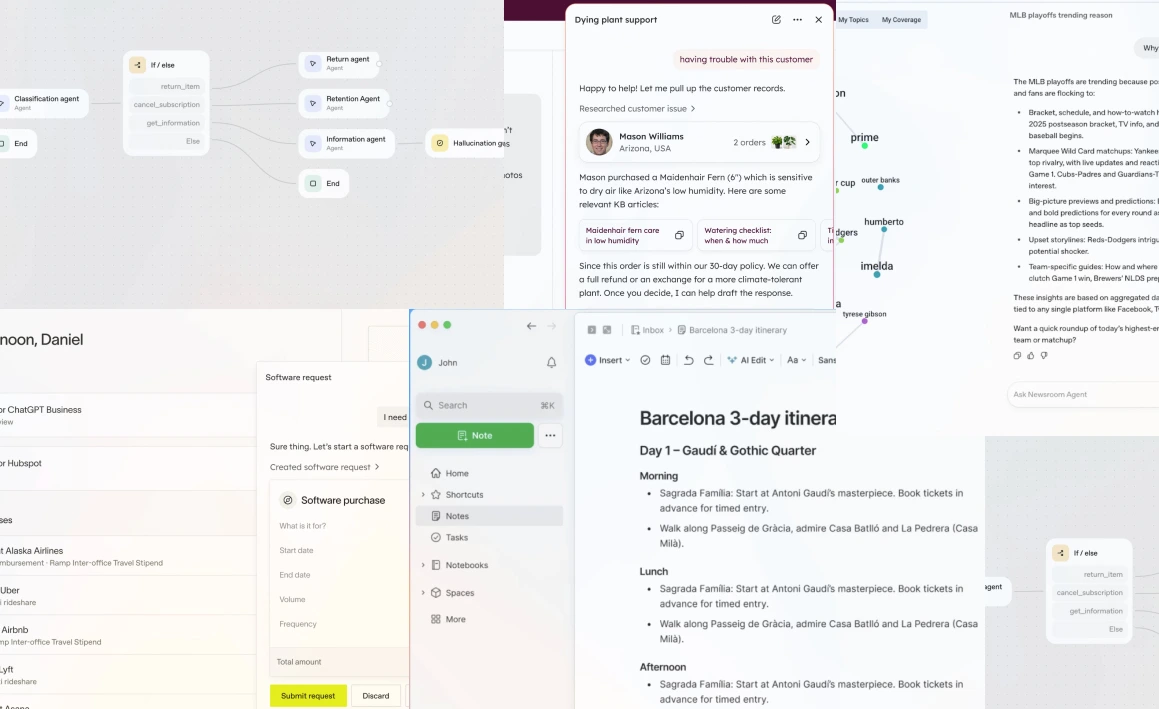
Why This Marks the Beginning of a New Era for AI Applications
In the past, artificial intelligence was just a feature — a text generator, a chat assistant, or a tool for a narrow task. Now it’s becoming the underlying infrastructure on which full-fledged products and services are built.
OpenAI Agent Builder is at the center of this transformation. ChatGPT has become the interface, Agent Builder provides the logic and reasoning, and APIs (via MCP) enable action. Together, they create a new level of integration between the user, the model, and external systems.
🔄 What Has Fundamentally Changed
- AI is no longer passive.
It doesn’t just wait for a query — it can act on its own, call APIs, check data, and make decisions. - ChatGPT has become a universal interface.
It can now manage internal company processes, CRMs, documents, and external services through natural conversation. - Agent Builder gave developers the “brain” of applications.
Agents no longer just process text — they understand intent, analyze context, and construct dynamic chains of actions. - A new “AI layer” of the internet has emerged.
Applications are beginning to communicate with each other through language and models, not rigid API integrations. - A new ecosystem is forming.
Just as the App Store in 2008 created the mobile economy, ChatGPT Store and AgentKit could become the foundation for thousands of agent-driven startups.
Agent Builder isn’t an experiment — it’s the beginning of a new software architecture where the user, agent, and data work as one system. This is the start of the next wave — the era of agentic applications, intelligent products that understand context and act with human-like initiative.
What’s Next
The launch of Agent Builder is just the beginning. OpenAI is already laying the groundwork for a full agent-based ecosystem — one where developers can not only build AI agents, but also monetize them.
💰 1. Monetization through the Agent Commerce Protocol
OpenAI is developing the Agentic Commerce Protocol — a system for instant payments directly inside ChatGPT. It will allow developers to sell access to agents, premium features, or datasets right within the chat, without websites or checkout forms. Essentially, it’s the next-generation App Store — but for AI agents.
🧠 2. Shared Library of Ready-to-Use Agents
A public catalog of agents is on the way — something like GitHub, but for AI logic. Developers will be able to share their workflows, templates, and tools, while users can install and use them with a single click.
🌐 3. Agent Networks
The next step is networks of agents that can communicate with each other. One agent can request data from another, invoke it like an API, or delegate tasks. This will lead to true multi-agent systems where one agent gathers data, another analyzes it, and a third makes decisions.
🔌 4. Integrations with Self-Hosted Solutions
Through the Model Context Protocol (MCP) and custom connectors, developers will be able to integrate local or enterprise systems — from n8n and LangChain to Flowise or internal databases. This means you’ll be able to build an autonomous agent infrastructure without depending on OpenAI’s cloud.
Read also
Self-Hosted LLM
🚀 5. A New Class of Products
Agent Builder opens the door to a whole new generation of tools and services:
- autonomous assistants and task managers,
- research agents for analytics and SEO,
- AI marketers managing content and ads,
- personal agents interacting across multiple APIs.
This ecosystem is already taking shape. In a year or two, “building an agent” may become as common as “building a website” or “launching an app” — and Agent Builder will be the entry point to that new profession.
Conclusion
OpenAI Agent Builder isn’t just another tool — it’s the entry point into the era of agentic systems, where artificial intelligence stops being a feature and becomes an active participant.
If GPT made AI mainstream — enabling anyone to generate text, code, or ideas — then Agent Builder makes it interactive and action-oriented. Now AI can not only respond, but also act: connect to data, call APIs, and perform tasks like a true digital employee.
For developers, marketers, analysts, and startups, this is a chance to be part of the first generation of architects shaping a new ecosystem. Agents will soon play the role that websites did in the 2000s and mobile apps did in the 2010s. And right now is the perfect time to start building your own.
FAQ: Frequently Asked Questions about OpenAI Agent Builder
What is OpenAI Agent Builder?
OpenAI Agent Builder is a visual tool that lets you create, test, and publish AI agents without writing any code. It’s part of the AgentKit ecosystem, which includes tools for logic, integrations, and performance evaluation.
How can I create my own AI agent with OpenAI Agent Builder?
You simply connect blocks (nodes) in a visual editor — define prompts, API connections, and interaction logic. Then you can test the workflow and click “Publish.” No coding required.
How is Agent Builder different from Zapier or n8n?
Zapier and n8n are automation tools that work on simple “if → then” logic. Agent Builder, on the other hand, creates intelligent workflows that understand context, analyze data, make decisions, and interact with users through conversation.
What is AgentKit and how is it related to Agent Builder?
AgentKit is OpenAI’s broader ecosystem that includes Agent Builder, ChatKit, Evals, and Connector Registry. Together, they form a full infrastructure for building, testing, and scaling AI-driven agents.
What is MCP (Model Context Protocol)?
MCP is a new protocol that allows agents to connect to external systems and APIs — like Google Drive, Slack, Zapier, or LangChain — enabling secure data exchange between the agent and real-world services.
Can I monetize AI agents built with OpenAI Agent Builder?
Yes. OpenAI is developing the Agent Commerce Protocol — an instant payment system inside ChatGPT. It will let developers sell agents, premium features, or datasets directly within the chat interface.
Who is OpenAI Agent Builder for?
It’s ideal for developers, marketers, analysts, SEO specialists, and startups who want to build intelligent automation without deep programming knowledge.
Do I need programming experience to use Agent Builder?
No. The interface is completely visual — similar to Make or n8n — and only requires a basic understanding of AI workflows and APIs.
What are some examples of agents built with Agent Builder?
Popular examples include:
- Customer Support Agents for CRM systems,
- Research Agents for analytics and SEO,
- Content Assistants for videos and transcripts,
- Data Fetch Agents for external APIs,
- API Orchestrator Agents for complex integrations.
What’s next for OpenAI Agent Builder?
Upcoming features include: a public agent catalog, agent-to-agent communication networks, local integrations via MCP, and monetization through the ChatGPT Store.

Alex Grim
I’m an independent developer and AI automation specialist focused on building practical systems for content and SEO.
Over the past years, I’ve worked with WordPress, n8n, and AI tools to help creators and teams save time and scale their work efficiently.
Here I share insights, frameworks, and workflows for turning AI into a productive part of everyday operations.